|
|||
|
||||||
|
|
2013.03.29 Super Screen Capture 6.0 released New interface - Add new interface skin, standard GUI design, it looks very nice.
New function - Add "Fixed Region Capture". You can preset the width and height to capture fixed region. And you can press <Space> to change region size.
New function - Add "Active Window Capture". If you use the window default function to capture Active Window, you need 4 steps:
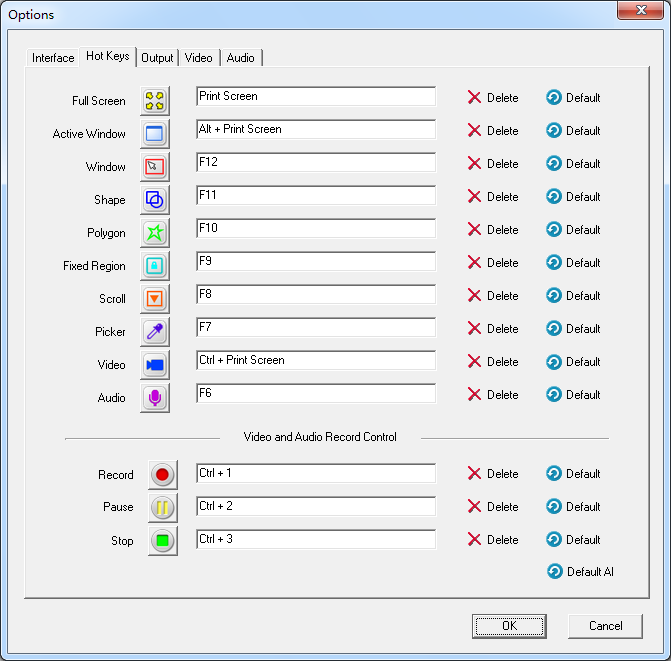
New function - Support any hotkeys, you can define any hotkeys, such as <Ctrl> + <Alt> + <Shift> + <Print Screen>, <Scroll Lock>, <Num Lock>, <Backspace>, <Pause Break> and etc.
New function - You can use the default hotkeys to capture screen, Press <Print Screen> to Capture Full Screen, Press <Alt + Print Screen> to Capture Active Window. New features - Full support for Microsoft Windows 8. New features - Full support for Microsoft Windows 7. New features - Full support for Microsoft Windows Vista. New function - Add "Delay before capture" option, If your computer is slow, you can increase the delay time before capture.
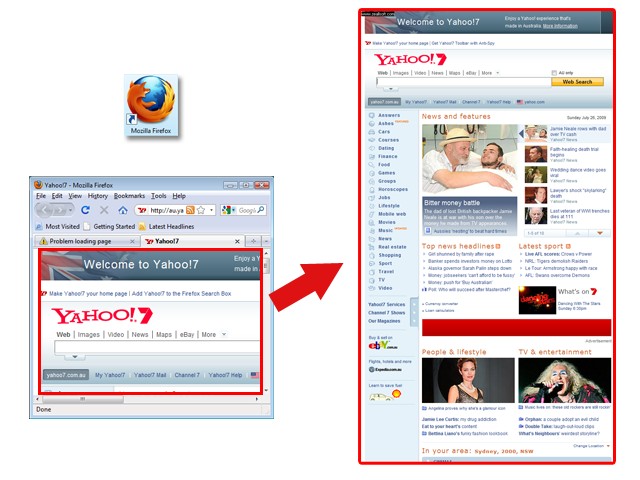
2009.07.25 Super Screen Capture 5.0 released New function - Capture Auto-Scroll Screen from FireFox. You can capture a BIG Webpage to a file(Support webpage height more than 50000 pixels). 100% Compatible all Scroll Windows/ Web Browsers:
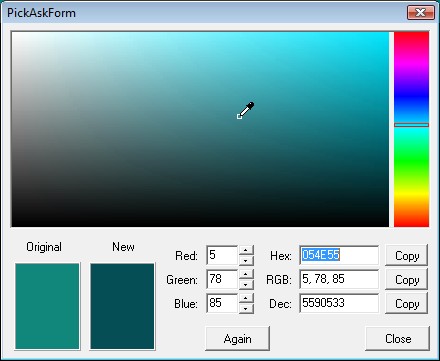
New function - Screen Color Picker, Capture HEX/RGB/DEC code from your screen for HTML editing, Image editing and etc.
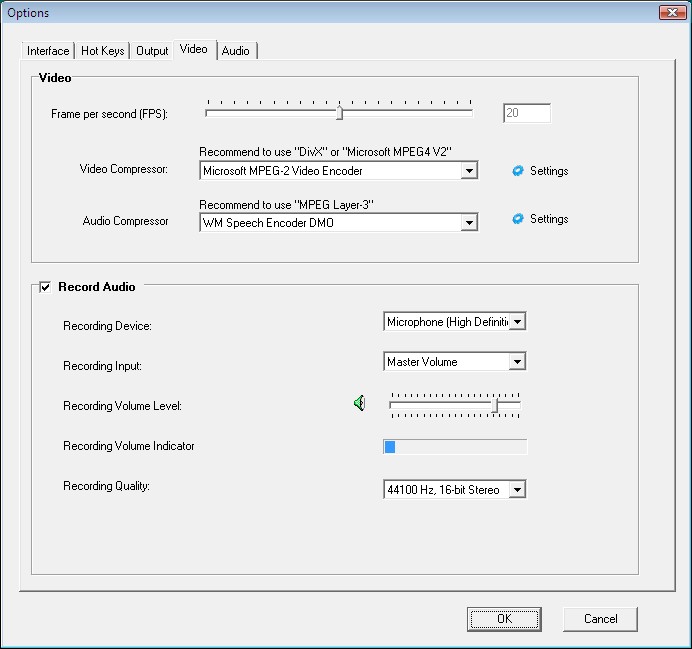
New function - Polygon Screen Tool, Capture a Polygon Screen for you want. New function - Recording Video Screen use Video Compression and Audio Compression , Like DIVX or MPEG-Layer3 codec.
New function - Directly Recording Audio to a MP3 File.
New function - Add a WaterMark Tool, You can easily add custom Watermark (text, image or frame) to your Capture Images.
New function - Add "to Word" and "to PowerPoint" for export mode. Now You can Capture Screenshots to Microsoft Word and Microsoft PowerPoint directly.
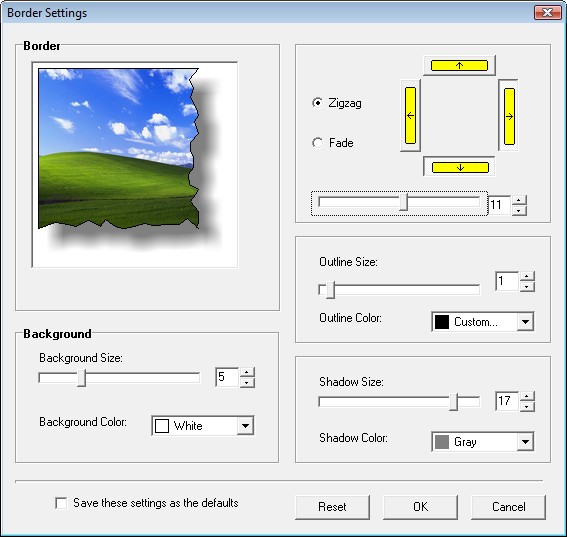
New function - Add "Capture Mouse Cursor" for export mode, You can Capture Mouse Cursor to your screenshot. Enhanced - Edge Effects Tool, Added a Fade Effects. Export Edge Effects 4 edges instead of 2 edges.
Enhanced - File Manager, Add Line, Pixels, Pencil, Text, Rectangle, Ellipse, WaterMark Tools for Image Editing. Use Vista style gallery.
Fixed - Some bugs. 2006.04.18 Super Screen Capture 2.5 released
2006.04.05 Super Screen Capture 2.4 released New function - "Edge Effects Tool " New function - "Resize tool" New function - "Adjust Color tool" New function - "Cut tool" New function - "Capture full screen video" New function - New Hot Keys for video capture. New options - Add menu for image editing tool. Fixed - Can't auto save view mode in image editing tool. Fixed - Some bugs. 2006.03.17 Super Screen Capture 2.2 released Free Screen Capture is divided into three software:
New function - "Capturing Video and audio". New options - Show the Tools Bar after capture. New options - Play Sound after capture. Fixed - Can't Capturing Scroll Webpage at some time. Fixed - Can't show the size of file. (Image Editing Tools) Fixed - Some bugs. 2006.03.04 Free Screen Capture 2.1.1 released Fixed - Can't shut down Computer in Windows XP. Fixed - Can't Capturing Scroll Screen in Windows98se. Fixed - Can't Capturing title bar in Window Capture mode. Fixed - Can't uninstall. Fixed - Some bugs. 2006.02.28 Free Screen Capture 2.1 released New function - "Auto Scroll Screen Capture" New options - "Auto Scroll refresh time" Fixed - The "Temp Folder" can't be change. Fixed - Some bugs.
2006.02.16 Free Screen Capture 2.0 released New function - "Video Screen Capture" New function - "Sound Capture" New function - "Circular Screen Capture" New function - "Polygonal Screen Capture" New function - "Custom Interface" New function - "Custom Hot Keys" New function - "Custom Output Ways" 2006.01.01 Free Screen Capture 1.0 released New function - "Full Screen Capture" New function - "Window Screen Capture" New function - "Rectangle Screen Capture" New tools - "Image Editing Software" |
|
Copyright © 1997~ [Site Map] [Link] Privacy Policy Terms of Use Refund Policy |








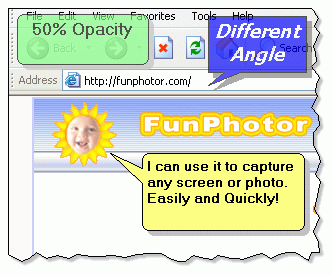 New function - "Text/Balloon Tool"